Mulah App
Mulah App
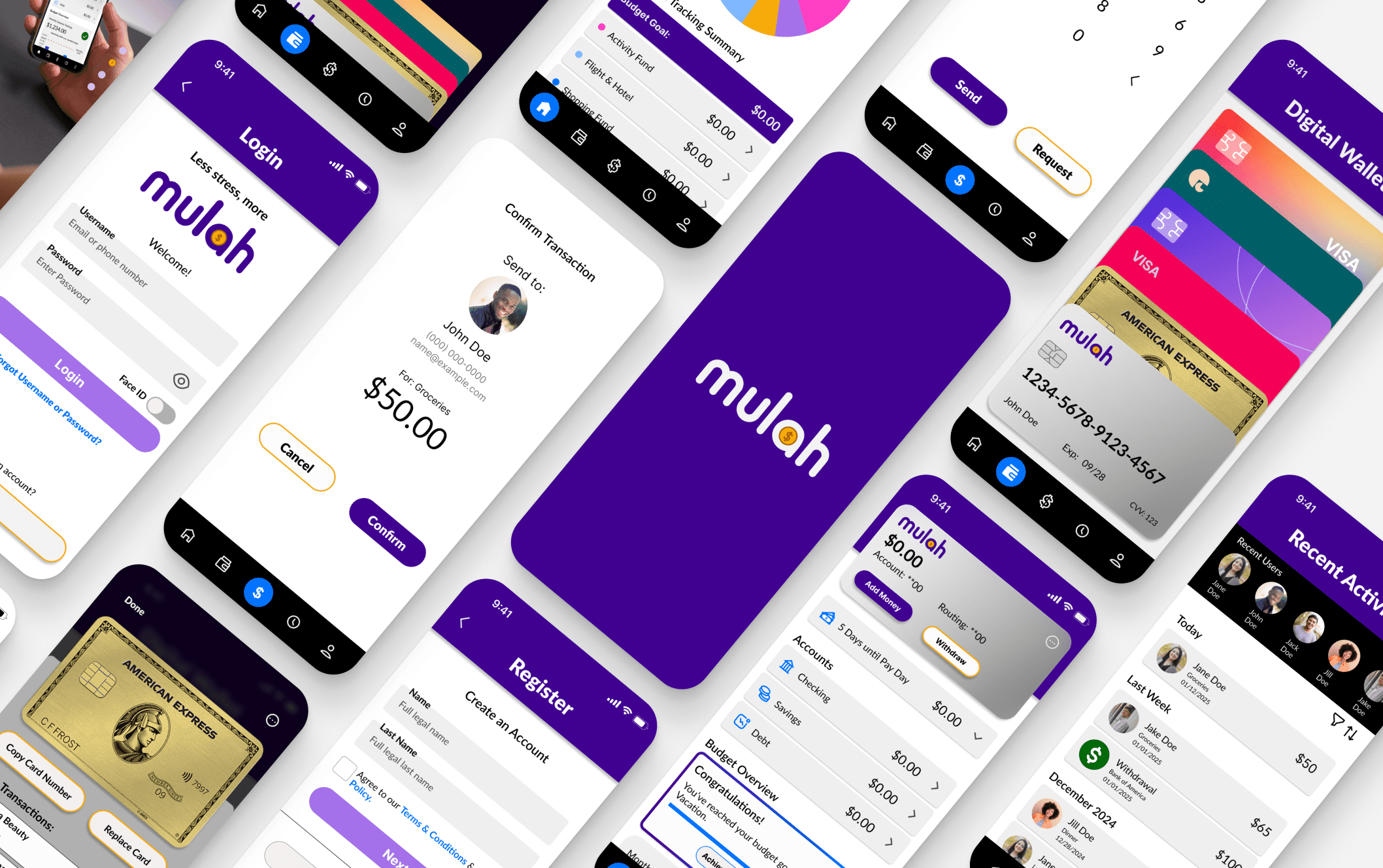
Mulah is an all-in-one finance app designed to help users budget, save, send money, and manage their financial lives in one simple place.
Mulah is an all-in-one finance app designed to help users budget, save, send money, and manage their financial lives in one simple place.
Mulah is an all-in-one finance app designed to help users budget, save, send money, and manage their financial lives in one simple place.
Services
Visual Design
UI & UX Design
Industries
Finance
Date
October 2024 - May 2025
Oct 2024 - May 2025
Design Process Timeline
Design Process Timeline
Think of this timeline as a map rather than a checklist. It organizes the work into key phases so you can easily explore the project, while the actual design process involved revisiting and refining those phases as the solution evolved.
The Problem
The Problem
Overview
Overview
Managing personal finances is overwhelming, especially when tools are scattered.
Problem Statement: If managing money requires juggling multiple accounts and apps, the users can feel stressed, lose track of their finances, and struggle to make informed decisions.
Through this project, I set out to understand how people manage their finances today and identify where confusion or friction occurs. From tracking expenses in one app to checking credit reports in another, users often juggle multiple tools that don’t communicate with each other. This lack of integration leads to poor financial awareness. The challenge isn’t just about having too many tools, it’s about lacking a sense of clarity, trust, and control over one’s financial journey.
Managing personal finances is overwhelming, especially when tools are scattered.
Problem Statement: If managing money requires juggling multiple accounts and apps, the users can feel stressed, lose track of their finances, and struggle to make informed decisions.
Through this project, I set out to understand how people manage their finances today and identify where confusion or friction occurs. From tracking expenses in one app to checking credit reports in another, users often juggle multiple tools that don’t communicate with each other. This lack of integration leads to poor financial awareness. The challenge isn’t just about having too many tools, it’s about lacking a sense of clarity, trust, and control over one’s financial journey.
The Solution
The Solution
Overview
Overview
Create a responsive web app that makes finance easier to manage all in one place.
The design turns complex financial data into digestible, actionable insights, reduces decision fatigue, and encourages confident, consistent engagement, making personal finance easier to understand and manage for users at any stage of their journey.
A Unified Solution for Smarter Money Management.
Create a responsive web app that makes personal finance feel approachable and actionable—providing an intuitive and engaging experience.
Competitive Analysis
Competitive Analysis
Phase 1: Discover
Phase 1: Discover
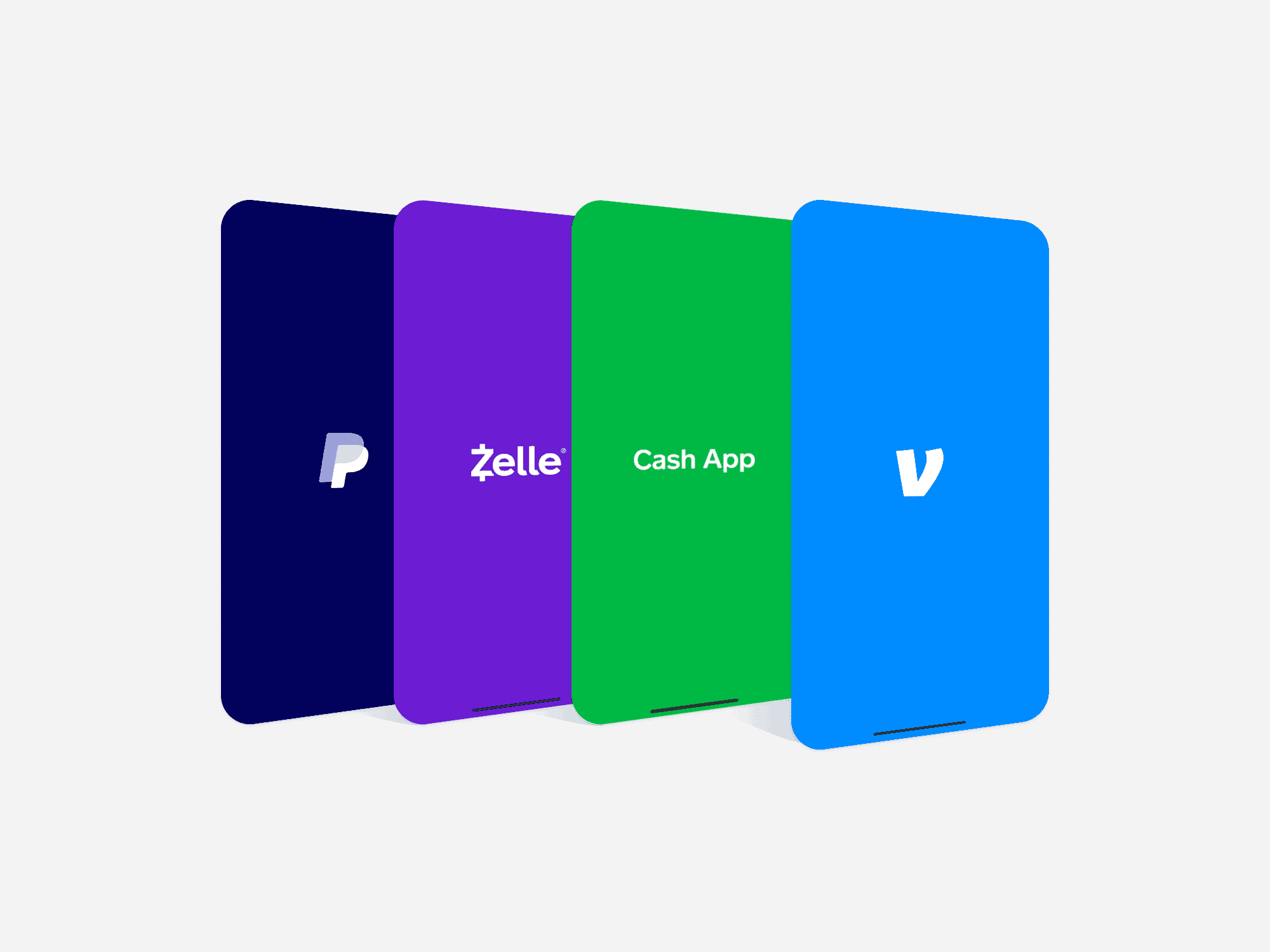
The competition lacks consolidating aspects.
I kick started my research with a competitive analysis of 4 popular apps that aimed to help users manage their finances. It quickly became clear that while each app addressed parts of financial management, none offered a truly all-in-one seamless experience. This discovery became the foundation for my proposed solution.
The competition lacks consolidating aspects.
I kick started my research with a competitive analysis of 4 popular apps that aimed to help users manage their finances. It quickly became clear that while each app addressed parts of financial management, none offered a truly all-in-one seamless experience. This discovery became the foundation for my proposed solution.
User Interviews
User Interviews
User Interviews
Phase 1: Discover
Phase 1: Discover
Insights revealed a clear opportunity to reduce the time users spend managing money.
After initial research, I concluded that a deep-dive needed to occur to really gather insights on user behaviors, emotions, and thoughts. This led me to conduct my first round of user interviews with three participants at different levels of financial expertise. I’ve asked them the questions below to pinpoint common frictions, trends, frustrations, and methods to money management.
Research Questions:
- How do you manage your finances?
- How do you feel about the current tools or resources you use for financial management?
- What challenges do you face when organizing your finances? Why?
- In what ways do you think money management could be improved for you?
- How do you typically handle unexpected expenses?
Insights revealed a clear opportunity to reduce the time users spend managing money.
After initial research, I concluded that a deep-dive needed to occur to really gather insights on user behaviors, emotions, and thoughts. This led me to conduct my first round of user interviews with three participants at different levels of financial expertise. I’ve asked them the questions below to pinpoint common frictions, trends, frustrations, and methods to money management.
Research Questions:
- How do you manage your finances?
- How do you feel about the current tools or resources you use for financial management?
- What challenges do you face when organizing your finances? Why?
- In what ways do you think money management could be improved for you?
- How do you typically handle unexpected expenses?
The Main Insight
The Main Insight
The Main Insight
Phase 1: Discover
Phase 1: Discover
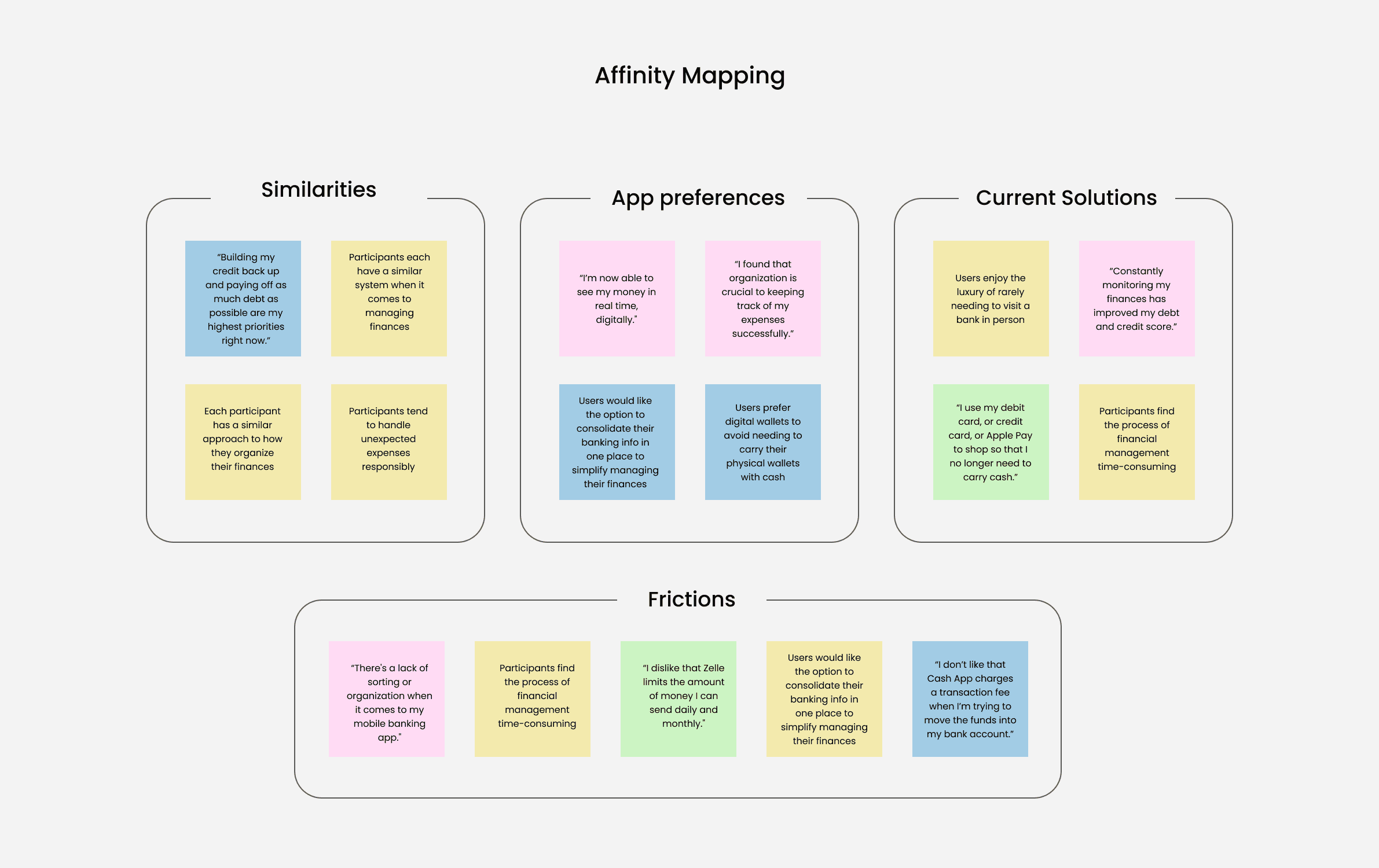
All participants have an organizational system for money.
All participants have an organizational system for money.
The Target Audience
The Target Audience
The Target Audience
Phase 2: Define
Phase 2: Define
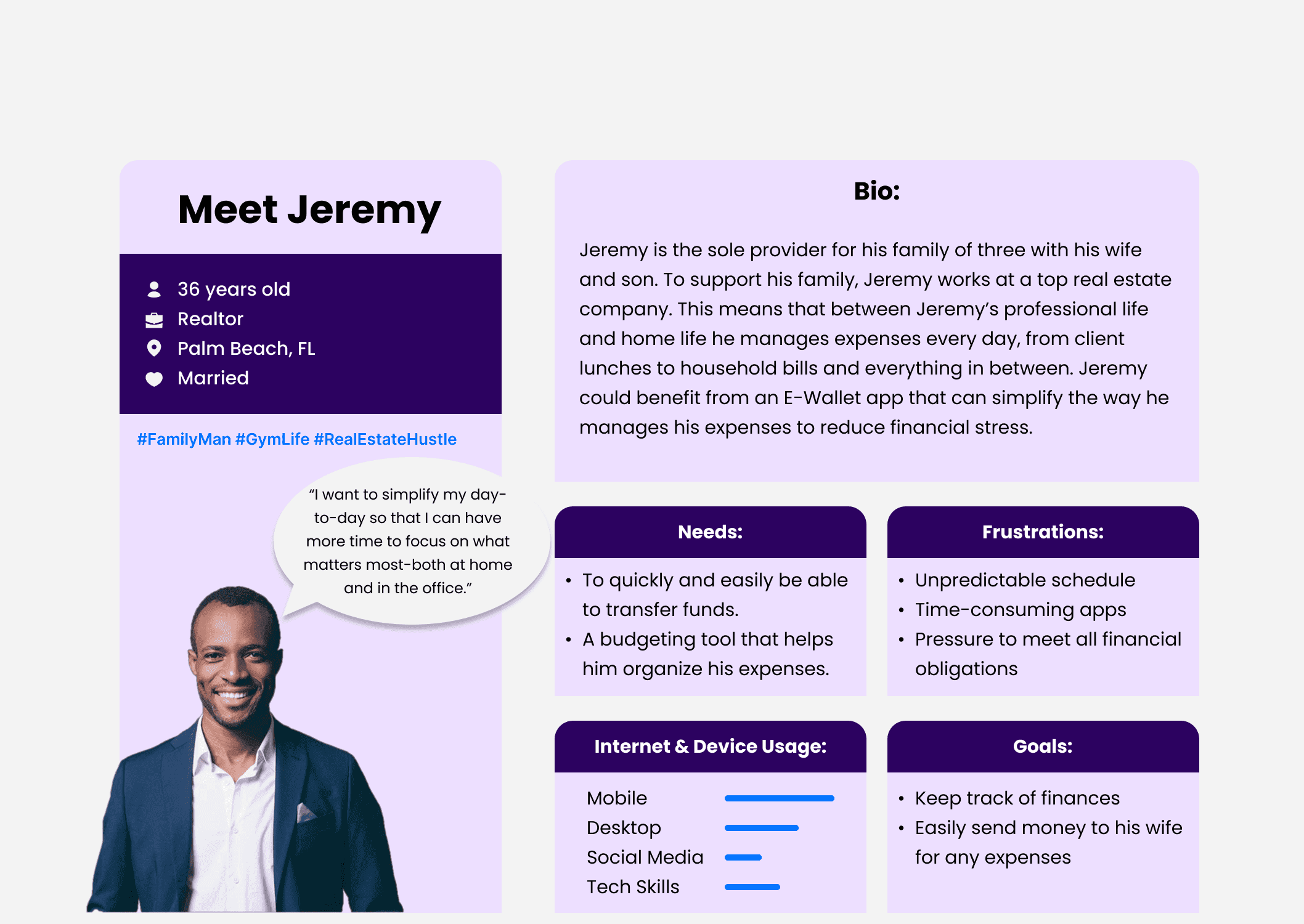
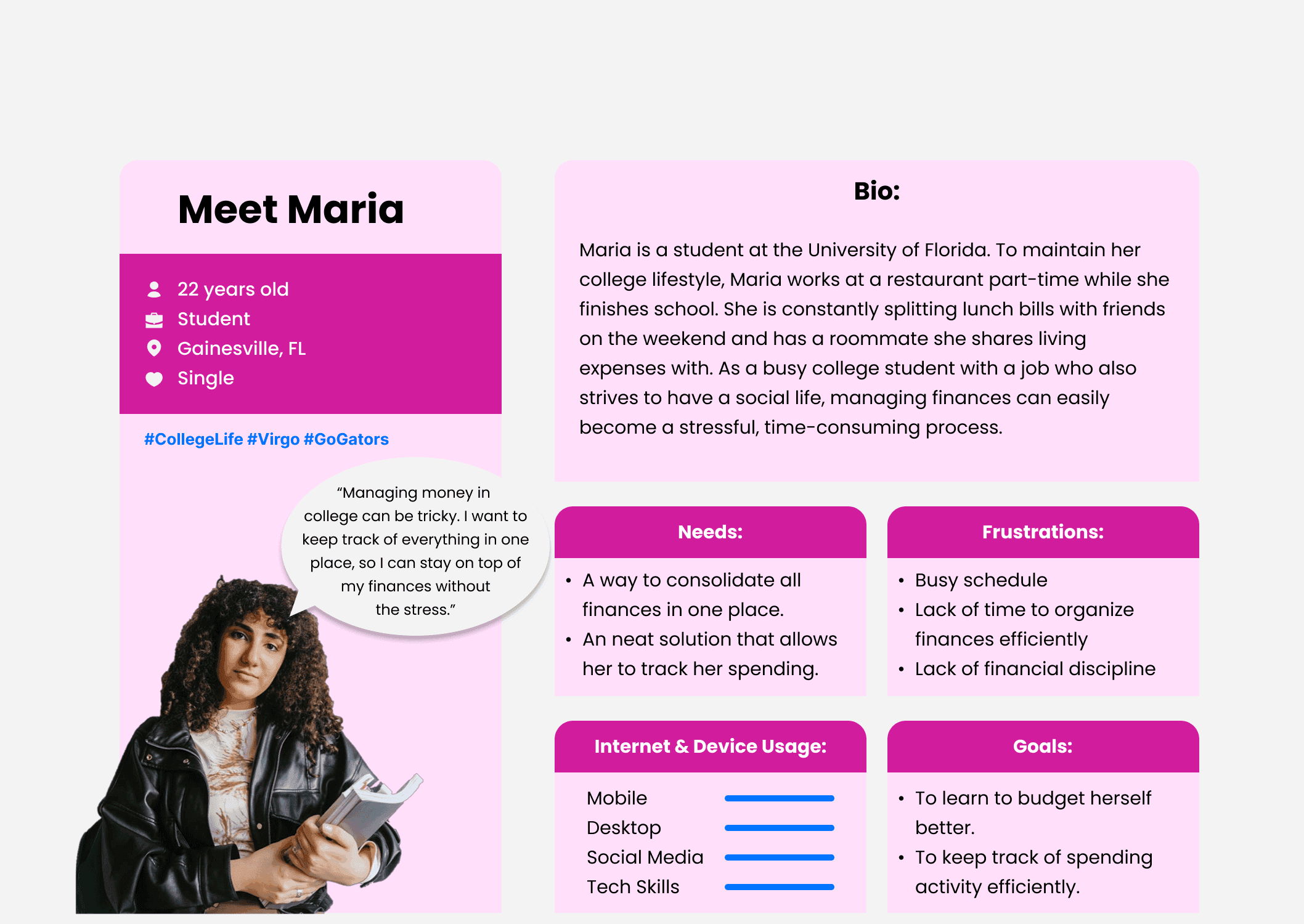
User Personas outline who we design for and why.
User Personas outline who we design for and why.
Early Ideation
Early Ideation
Early Ideation
Phase 3: Ideate
Phase 3: Ideate
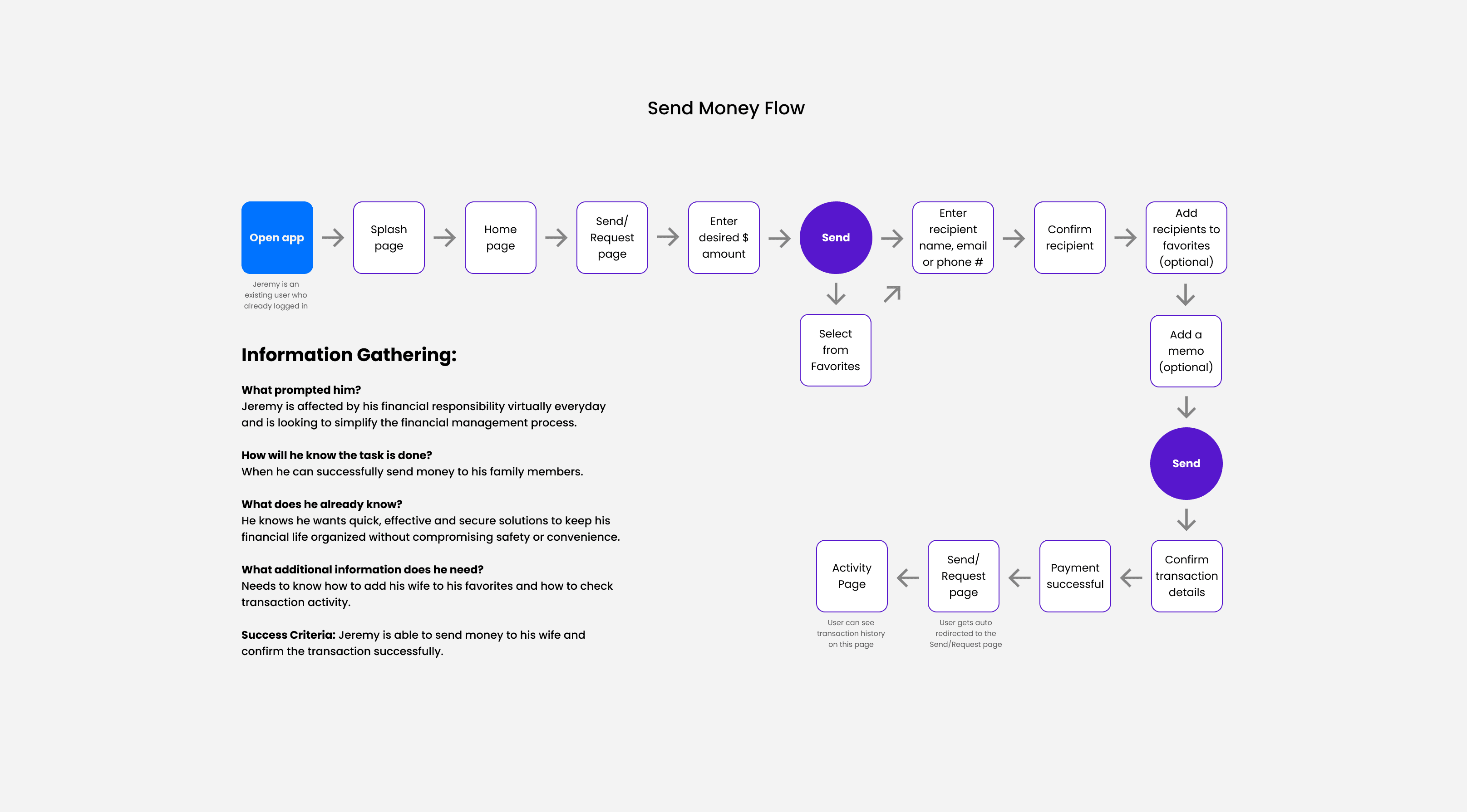
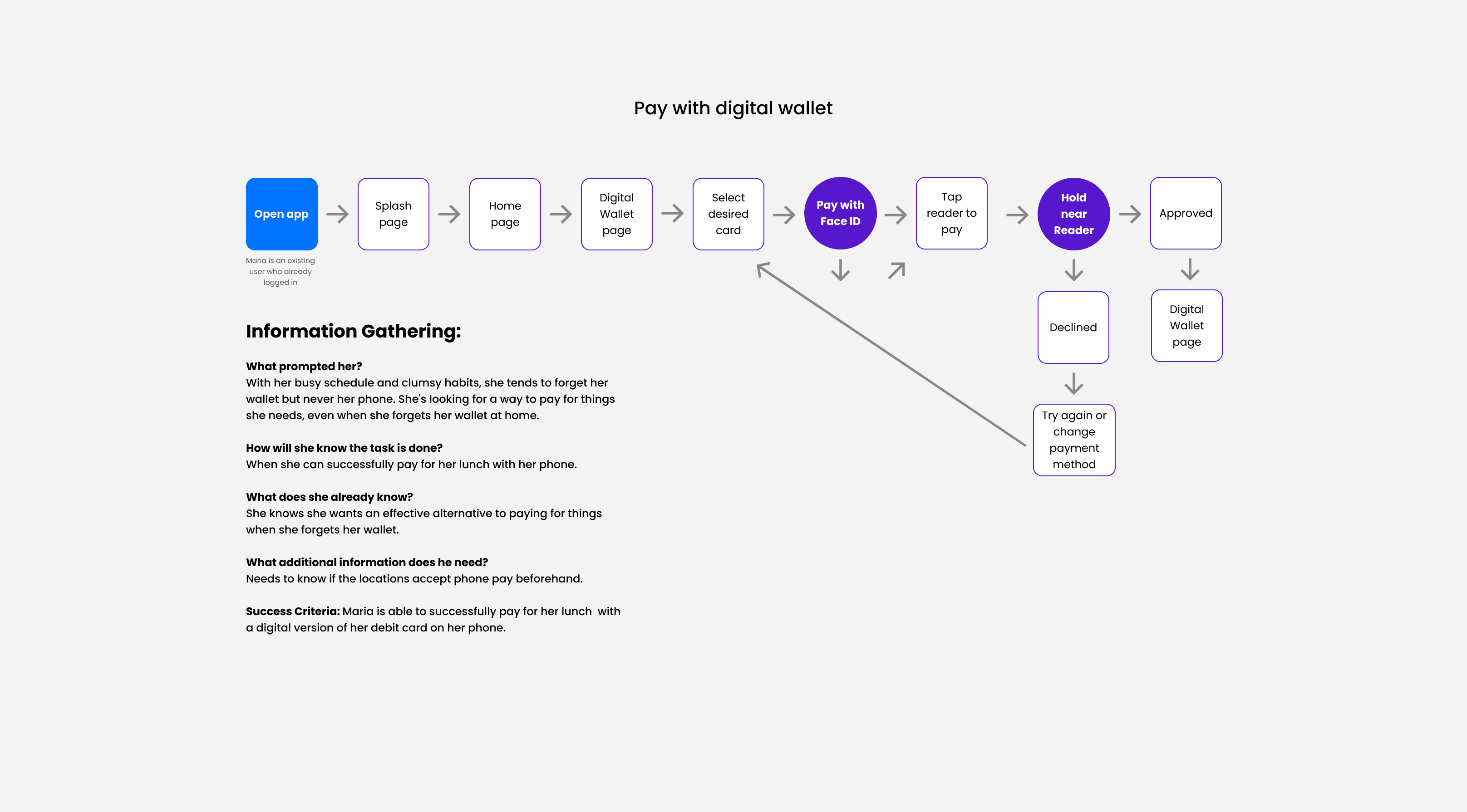
User flow charts helped define efficient navigation and task completion.
User flow charts helped define efficient navigation and task completion.
User flow charts helped define efficient navigation and task completion.
Design
Design
Design
Phase 4: Design
Phase 4: Design
Hypothesized features targeting core user needs to create a successful experience.
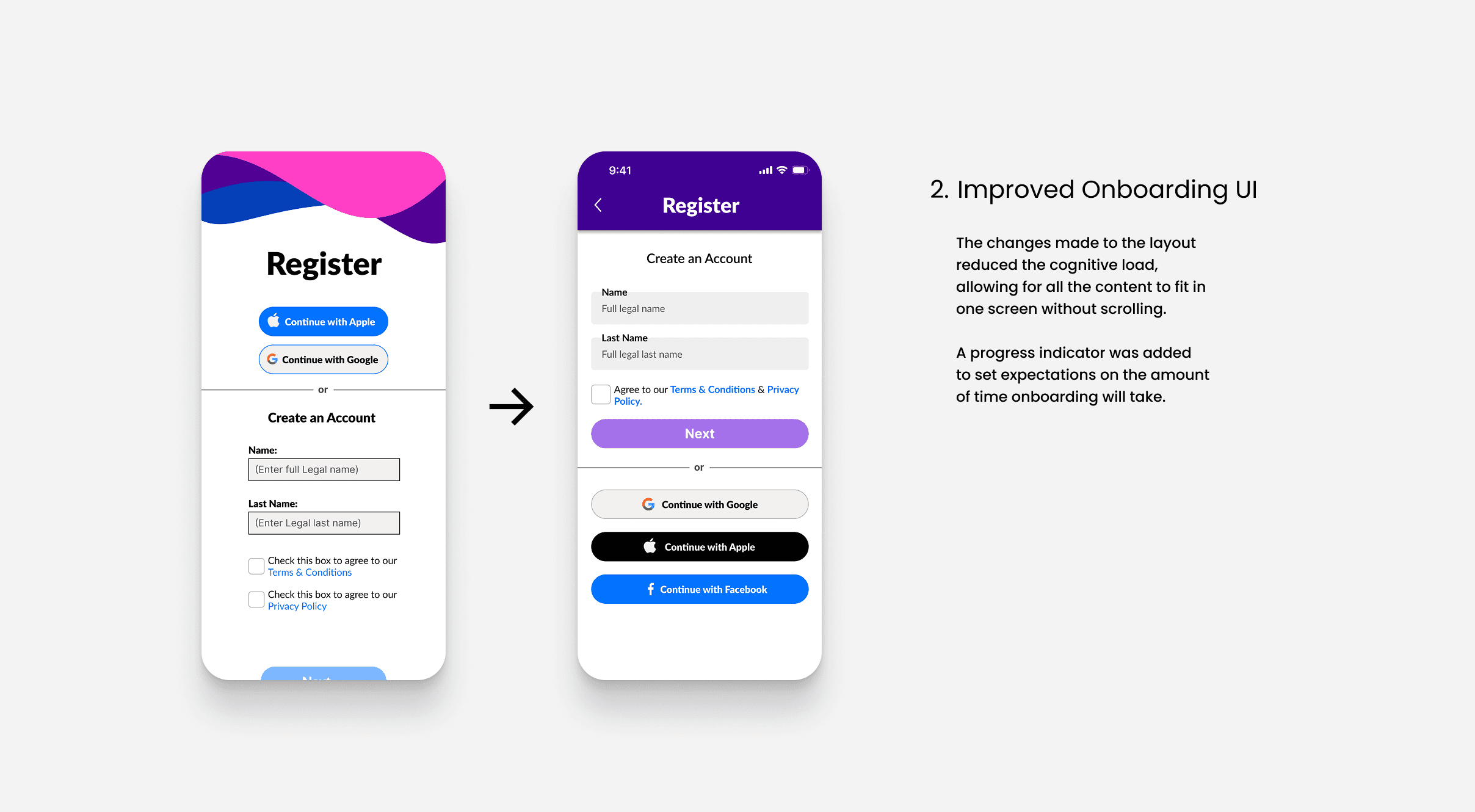
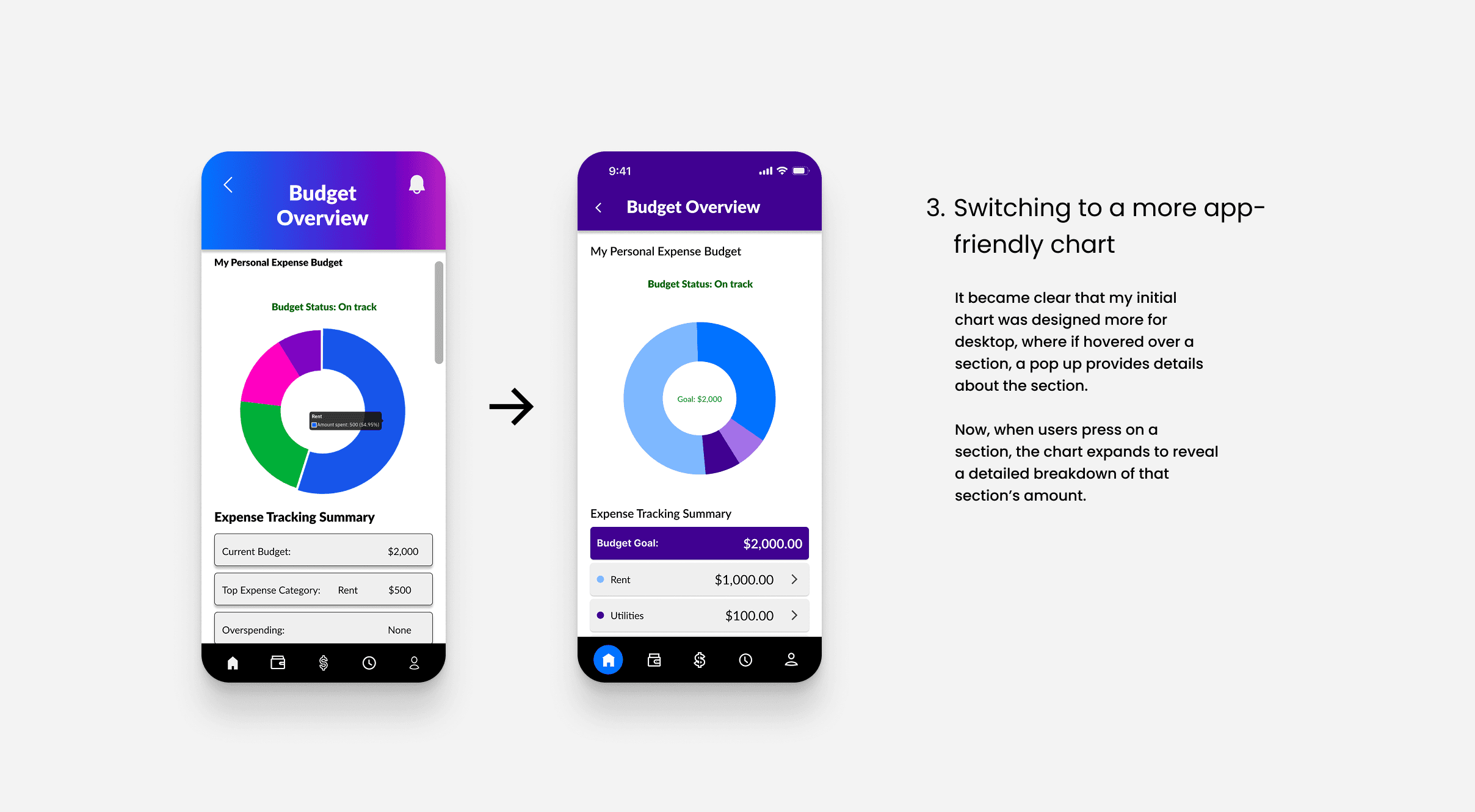
Initially, I spent a week trying to decide which of the following approaches to streamlining financial management was most effective: AI financial chat bot assistance, in-app educational micro content, or a personalized financial health dashboard. Ultimately, I chose the dashboard because it best supports the goal of consolidating and simplifying how users interact with their money while letting users feel in control. The following features were designed to consolidate key financial information and reduce confusion for users:
Hypothesized features targeting core user needs to create a successful experience.
Initially, I spent a week trying to decide which of the following approaches to streamlining financial management was most effective: AI financial chat bot assistance, in-app educational micro content, or a personalized financial health dashboard. Ultimately, I chose the dashboard because it best supports the goal of consolidating and simplifying how users interact with their money while letting users feel in control. The following features were designed to consolidate key financial information and reduce confusion for users:
Improvements
Improvements
Improvements
Phase 4: Design
Phase 4: Design
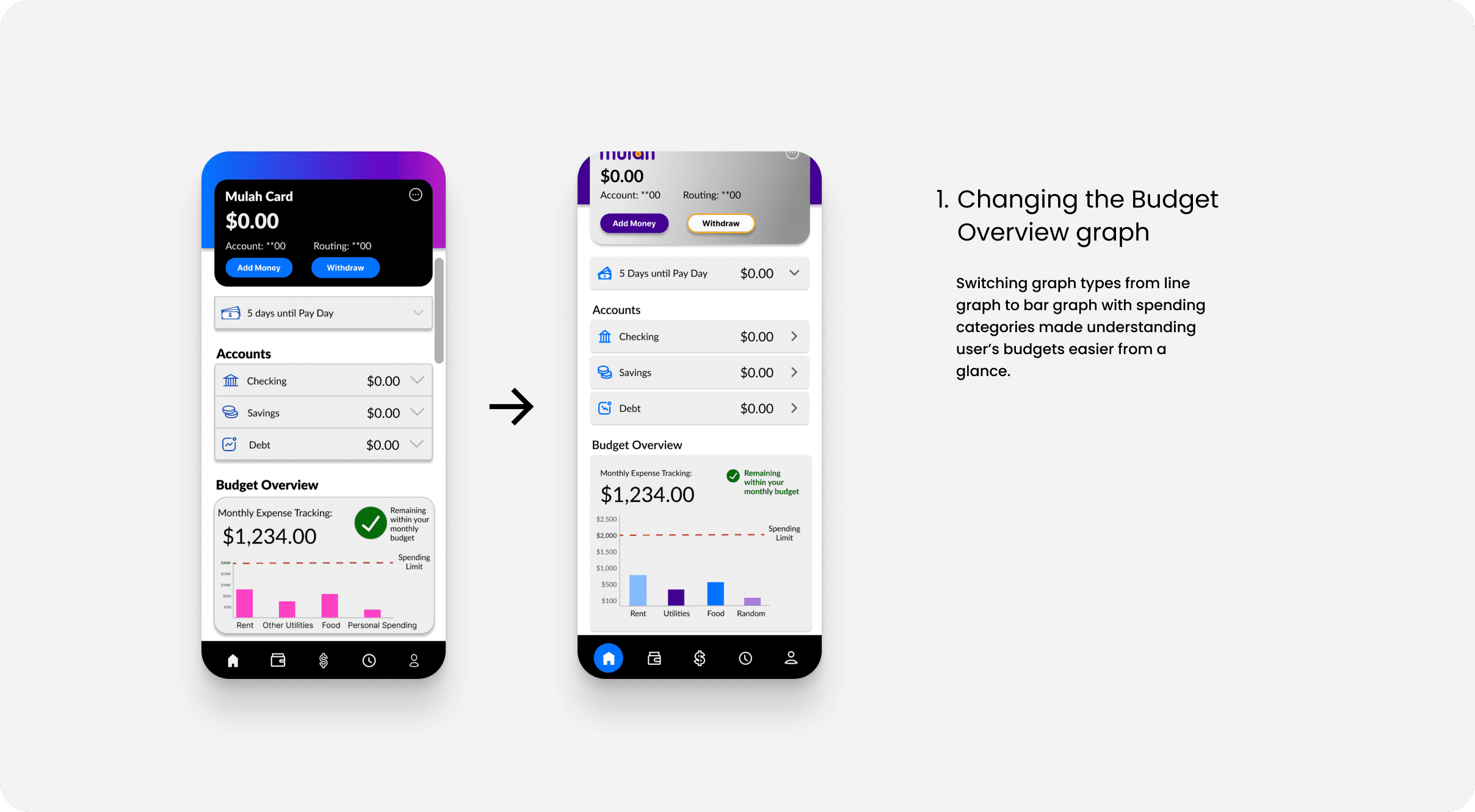
Three major design improvements
Three major design improvements
User Testing
User Testing
User Testing
Phase 5: Test
Phase 5: Test
Usability Test Report
Initially, I spent a week trying to decide which of the following approaches to streamlining financial management was most effective: AI financial chat bot assistance, in-app educational microcontent, or a personalized financial health dashboard. Ultimately, I chose the dashboard because it best supports the goal of consolidating and simplifying how users interact with their money while letting users feel in control.
Usability Test Report
Initially, I spent a week trying to decide which of the following approaches to streamlining financial management was most effective: AI financial chat bot assistance, in-app educational microcontent, or a personalized financial health dashboard. Ultimately, I chose the dashboard because it best supports the goal of consolidating and simplifying how users interact with their money while letting users feel in control.
Learnings + Next Steps
Learnings + Next Steps
Learnings + Next Steps
Phase 5: Test
Phase 5: Test
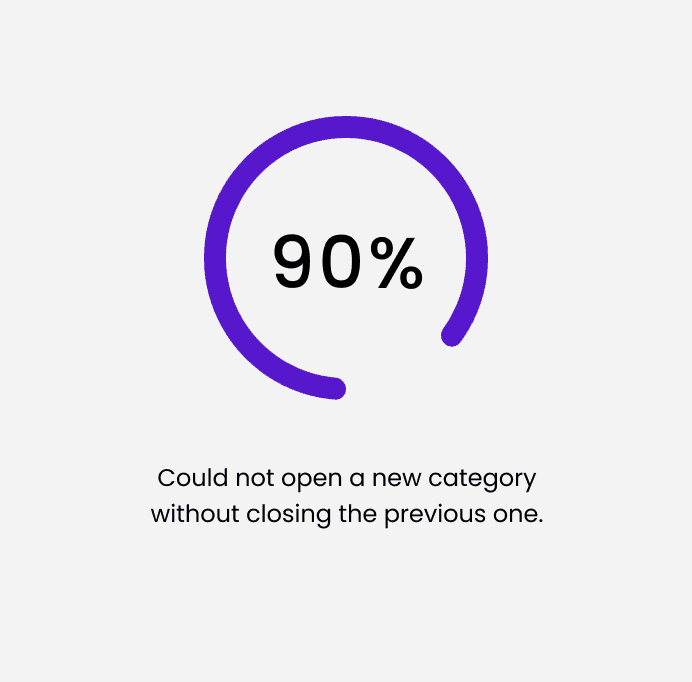
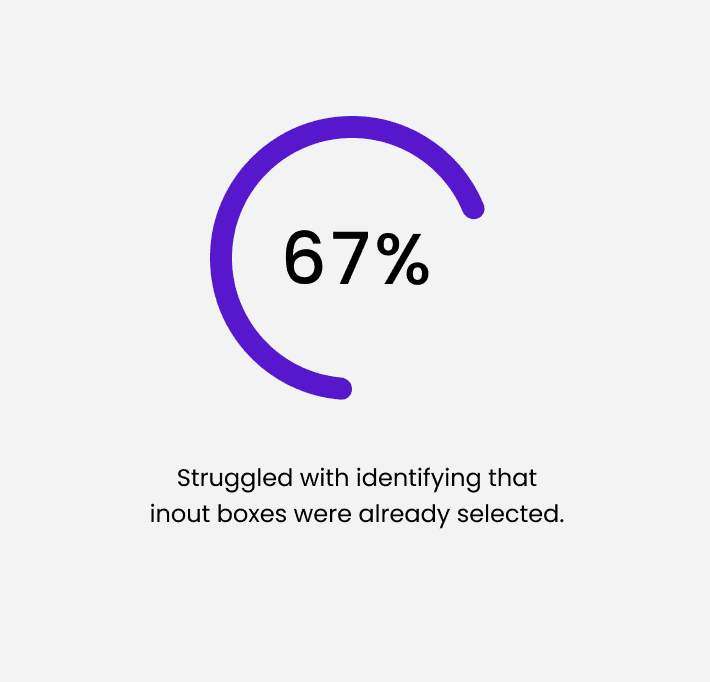
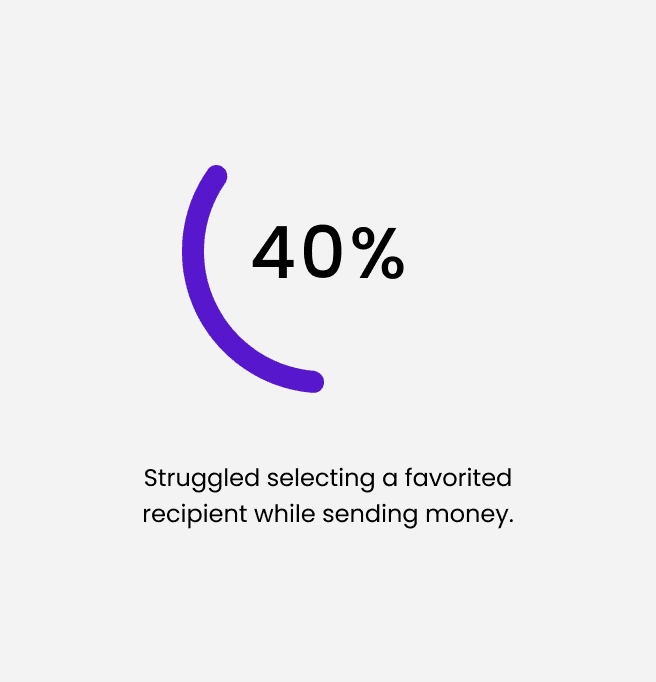
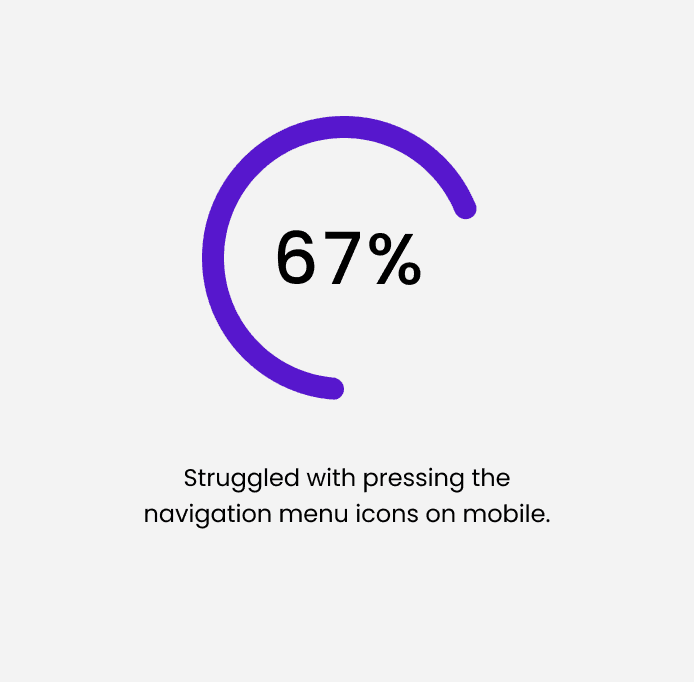
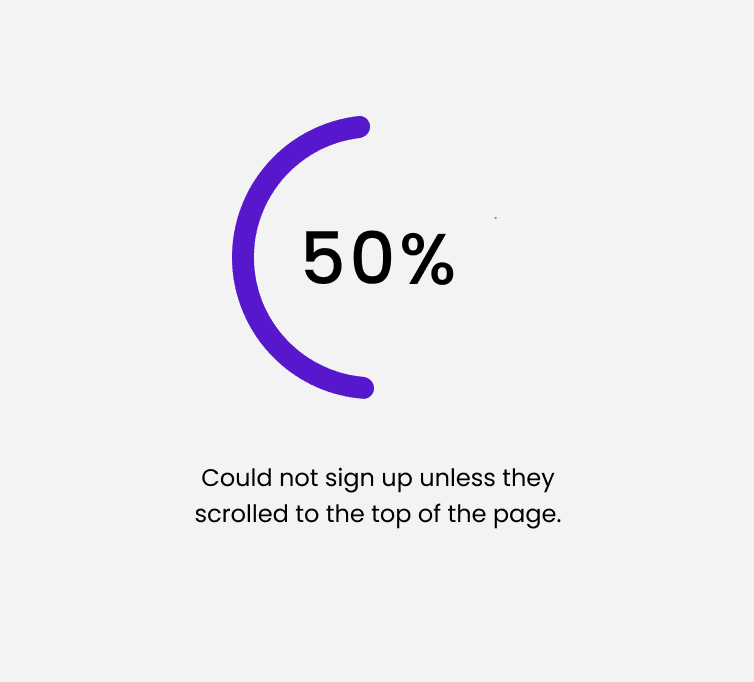
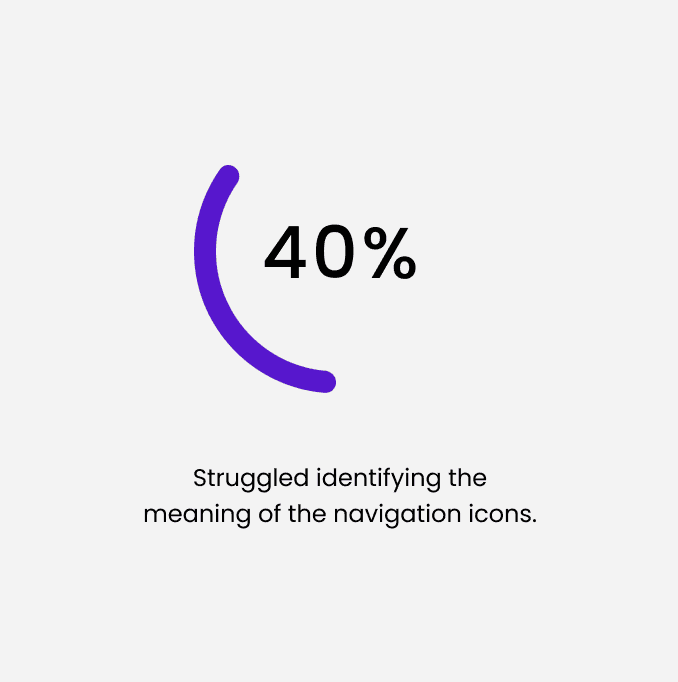
I really enjoyed working on this project, even though participant recruitment was limited and I was only able to conduct testing with five users. The feedback gathered from the usability sessions provided valuable insights that helped me develop an effective strategy to address the key issues uncovered during my research. I prioritized resolving the following critical errors:
✓ Prototype the section to automatically close if a user wants to open another one.
✓ Make input boxes more distinct by thickening the border and changing the box fill.
✓ Fix the favorited recipients by making the entire tab a clickable button.
✓ Pin the top navigation menu to follow the user while scrolling.
✓ Add a background to the back of the icons so clicking them is easier.
These improvements not only enhanced the overall usability of the design but also created a more intuitive and satisfying experience for users.
I really enjoyed working on this project, even though participant recruitment was limited and I was only able to conduct testing with five users. The feedback gathered from the usability sessions provided valuable insights that helped me develop an effective strategy to address the key issues uncovered during my research. I prioritized resolving the following critical errors:
✓ Prototype the section to automatically close if a user wants to open another one.
✓ Make input boxes more distinct by thickening the border and changing the box fill.
✓ Fix the favorited recipients by making the entire tab a clickable button.
✓ Pin the top navigation menu to follow the user while scrolling.
✓ Add a background to the back of the icons so clicking them is easier.
These improvements not only enhanced the overall usability of the design but also created a more intuitive and satisfying experience for users.
The Final Product
The Final Product
The Final Product
Phase 6: Launch
Phase 6: Launch
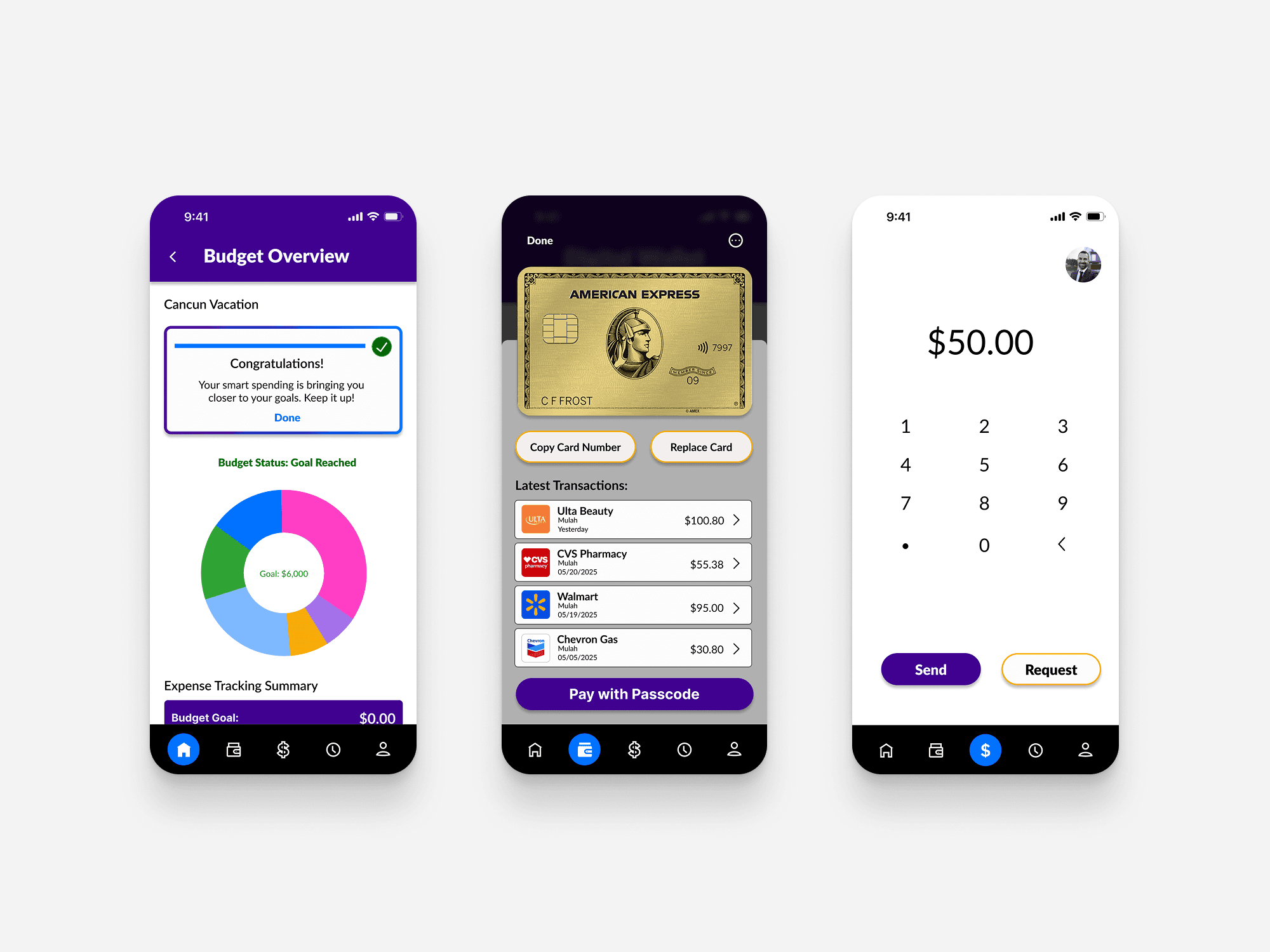
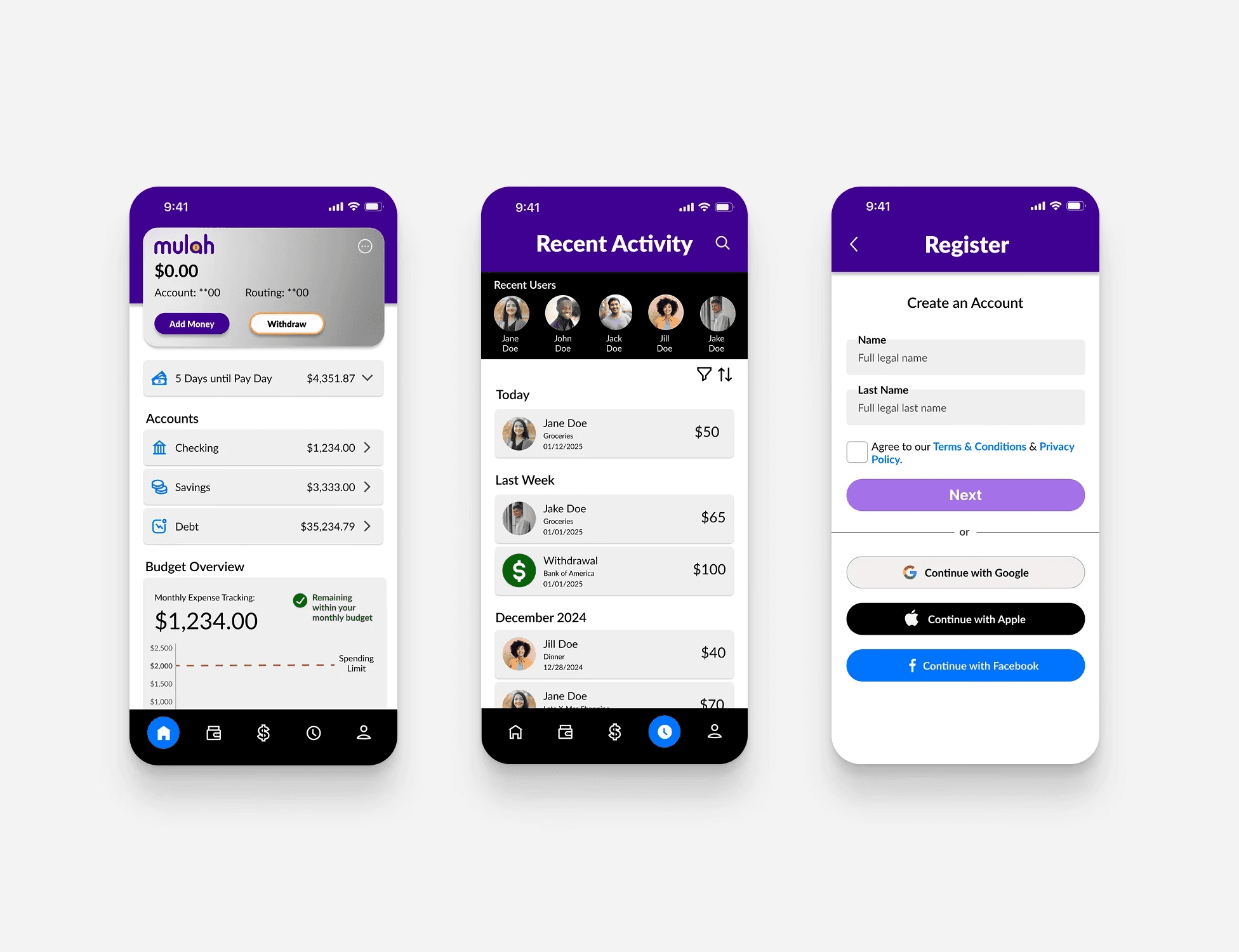
Mulah's Final Design
This prototype showcases the improved user flow, streamlined navigation, and enhanced interactions that make completing core tasks more efficient and enjoyable. It represents a well-rounded solution that not only solves the problems uncovered in earlier stages but also elevates the overall user experience.
Mulah's Final Design
This prototype showcases the improved user flow, streamlined navigation, and enhanced interactions that make completing core tasks more efficient and enjoyable. It represents a well-rounded solution that not only solves the problems uncovered in earlier stages but also elevates the overall user experience.
Design with Figma
Design with Figma
Design with Figma
Phase 6: Launch
Phase 6: Launch
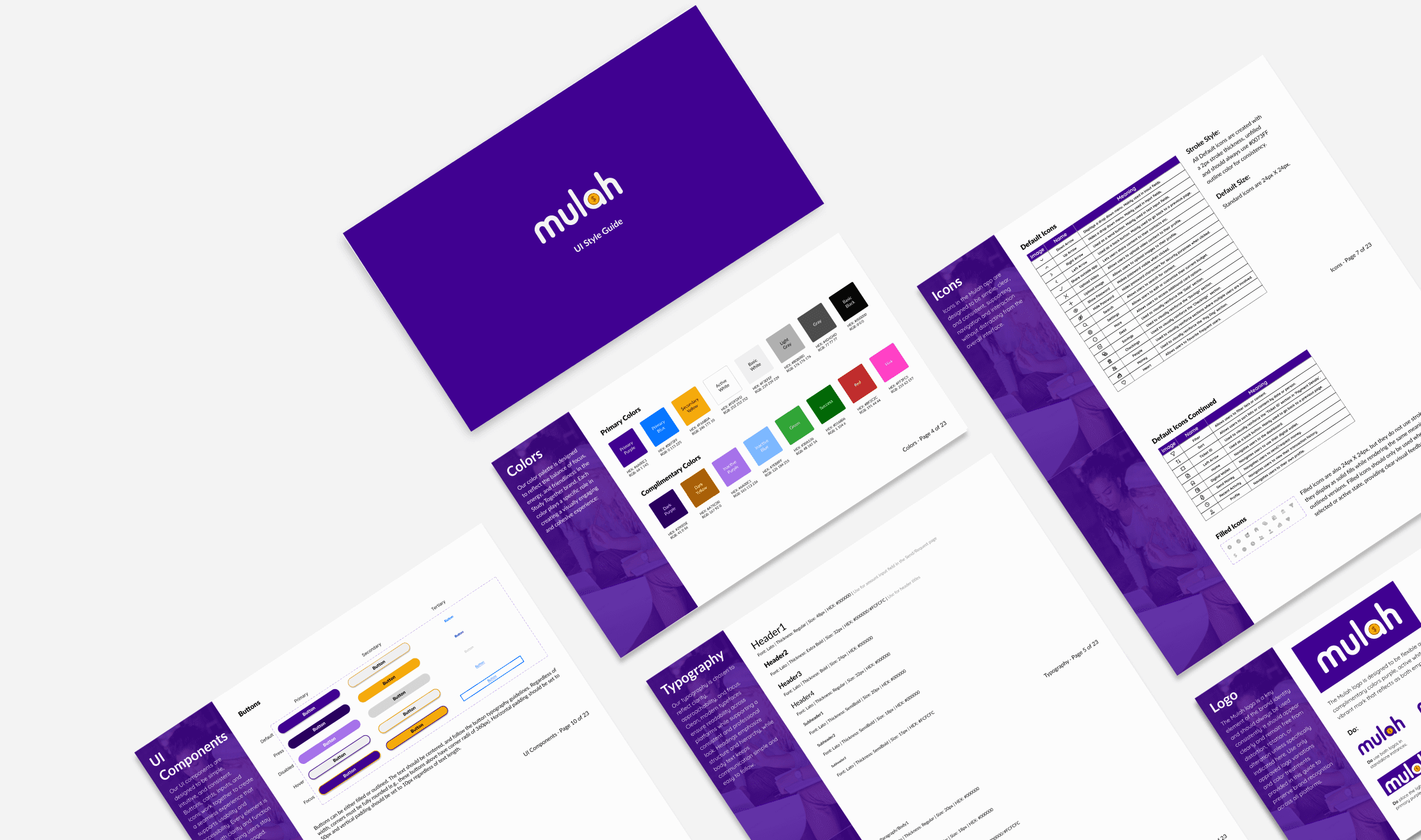
Mulah UI Style Guide
Mulah UI Style Guide
Conclusion + Reflection
Conclusion + Reflection
Conclusion + Reflection
Phase 6: Launch
Phase 6: Launch
What I'd do differently next time.
- User research is the foundation of a successful design. Though I spent a good amount of time gathering qualitative and quantitative data, I’d dedicate even more time to early-stage research to ensure the design truly reflects a range of user needs and pain points. Looking back, I would invest additional time in conducting broader and more diverse interviews, with sharper interview questions to uncover deeper insights.
- Constant iteration is key. Although I made multiple iterations throughout the entire design thinking process, looking back at the project I would have liked to see more of a growth in UI development, showing significant improvement. Keeping in mind WCAG standards and Nielsens 10 usability heuristic guidelines that I’ve learned, I can now spend less time making sure the app meets design standards, and more time on user-centered design reflection.
- Sketch first, stress later. In the beginning of the iteration process, I found myself overthinking every design choice. Later in the design process I realized these design choices were fine-tuned, which made me realize more time was spent than needed during the early stages of iteration.
What I'd do differently next time.
- User research is the foundation of a successful design. Though I spent a good amount of time gathering qualitative and quantitative data, I’d dedicate even more time to early-stage research to ensure the design truly reflects a range of user needs and pain points. Looking back, I would invest additional time in conducting broader and more diverse interviews, with sharper interview questions to uncover deeper insights.
- Constant iteration is key. Although I made multiple iterations throughout the entire design thinking process, looking back at the project I would have liked to see more of a growth in UI development, showing significant improvement. Keeping in mind WCAG standards and Nielsens 10 usability heuristic guidelines that I’ve learned, I can now spend less time making sure the app meets design standards, and more time on user-centered design reflection.
- Sketch first, stress later. In the beginning of the iteration process, I found myself overthinking every design choice. Later in the design process I realized these design choices were fine-tuned, which made me realize more time was spent than needed during the early stages of iteration.
What I'd do differently next time.
- User research is the foundation of a successful design. Though I spent a good amount of time gathering qualitative and quantitative data, I’d dedicate even more time to early-stage research to ensure the design truly reflects a range of user needs and pain points. Looking back, I would invest additional time in conducting broader and more diverse interviews, with sharper interview questions to uncover deeper insights.
- Constant iteration is key. Although I made multiple iterations throughout the entire design thinking process, looking back at the project I would have liked to see more of a growth in UI development, showing significant improvement. Keeping in mind WCAG standards and Nielsens 10 usability heuristic guidelines that I’ve learned, I can now spend less time making sure the app meets design standards, and more time on user-centered design reflection.
- Sketch first, stress later. In the beginning of the iteration process, I found myself overthinking every design choice. Later in the design process I realized these design choices were fine-tuned, which made me realize more time was spent than needed during the early stages of iteration.